Income and balances
This page holds your bank accounts and recurring income.
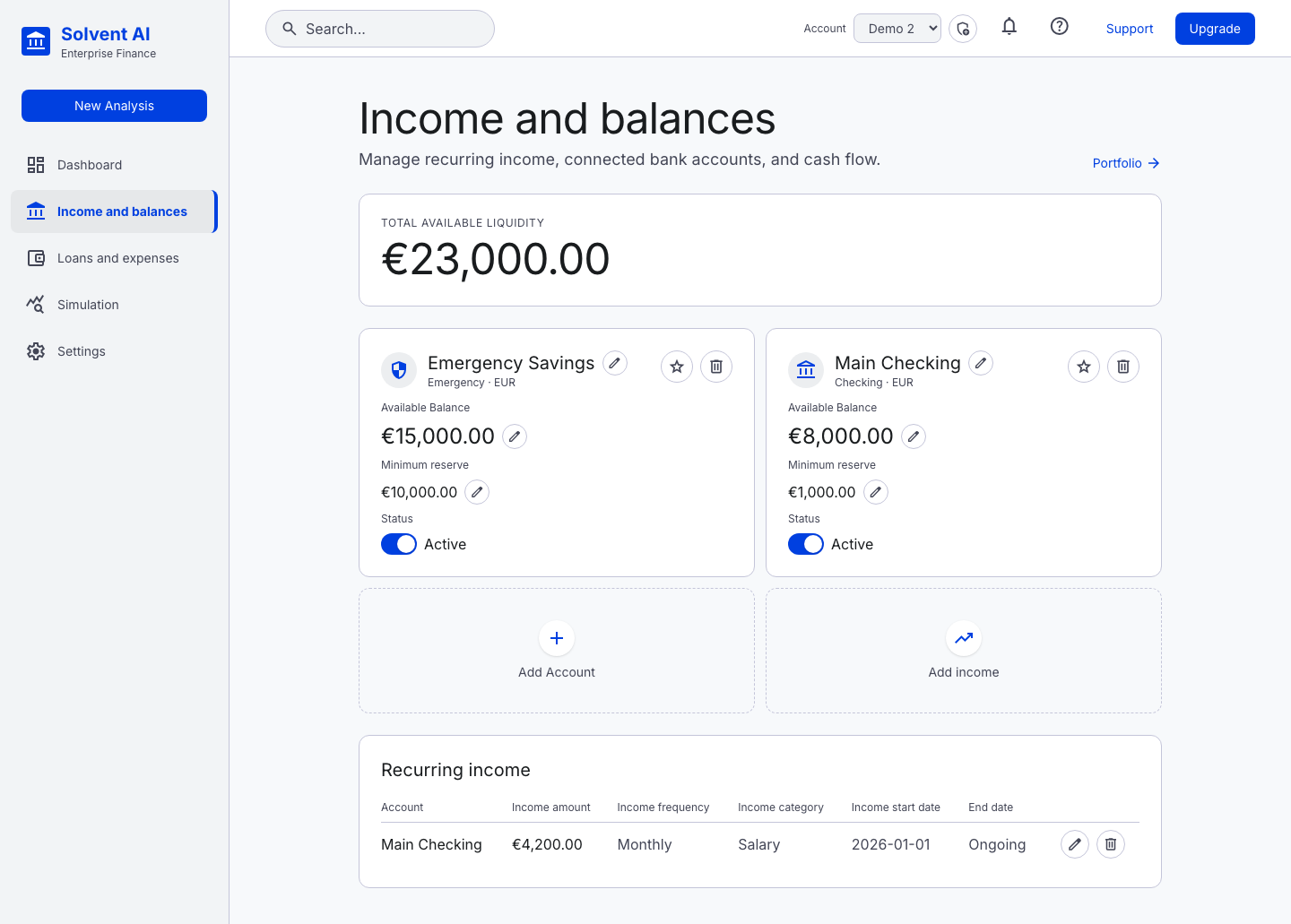
Accounts
Each account card shows:
| Field | Notes |
|---|---|
| Name | Editable inline (pencil icon) |
| Type | Checking, Savings, Emergency, Investment, Other. You can rename the labels in Settings |
| Currency | Any ISO currency. Totals are converted to the base currency |
| Available balance | Editable inline. Each save is recorded as a real balance entry, which feeds the dashboard's Actual points, the projected-vs-actual chart and the savings trend |
| Minimum reserve | The floor you don't want to go below. Breaches are flagged on the dashboard and in simulations |
| Status | Active or inactive. Inactive accounts are left out of totals and simulations |
| Default (star) | The account used by the projected-vs-actual chart |
Total Available Liquidity at the top sums active account balances in the base currency.
Use Add Account to create one, or the trash icon to delete one.
Income
Add income creates either:
- Recurring income: amount, frequency (daily, weekly, biweekly, monthly, quarterly, semiannual, annual), category (salary, rent, bonus, pension, freelance, investment, government, other, or your own custom types), start date and optional end date, credited to a chosen account
- One-off income: a single amount on a date
The Recurring income table lists all income with inline edit and delete.
Multi-currency
Accounts, income, expenses and loans can each use their own currency. Before aggregating or simulating, everything is converted into the base currency using stored exchange rates. Missing rates are fetched live (Frankfurter / ECB) and stored.