Loans and expenses
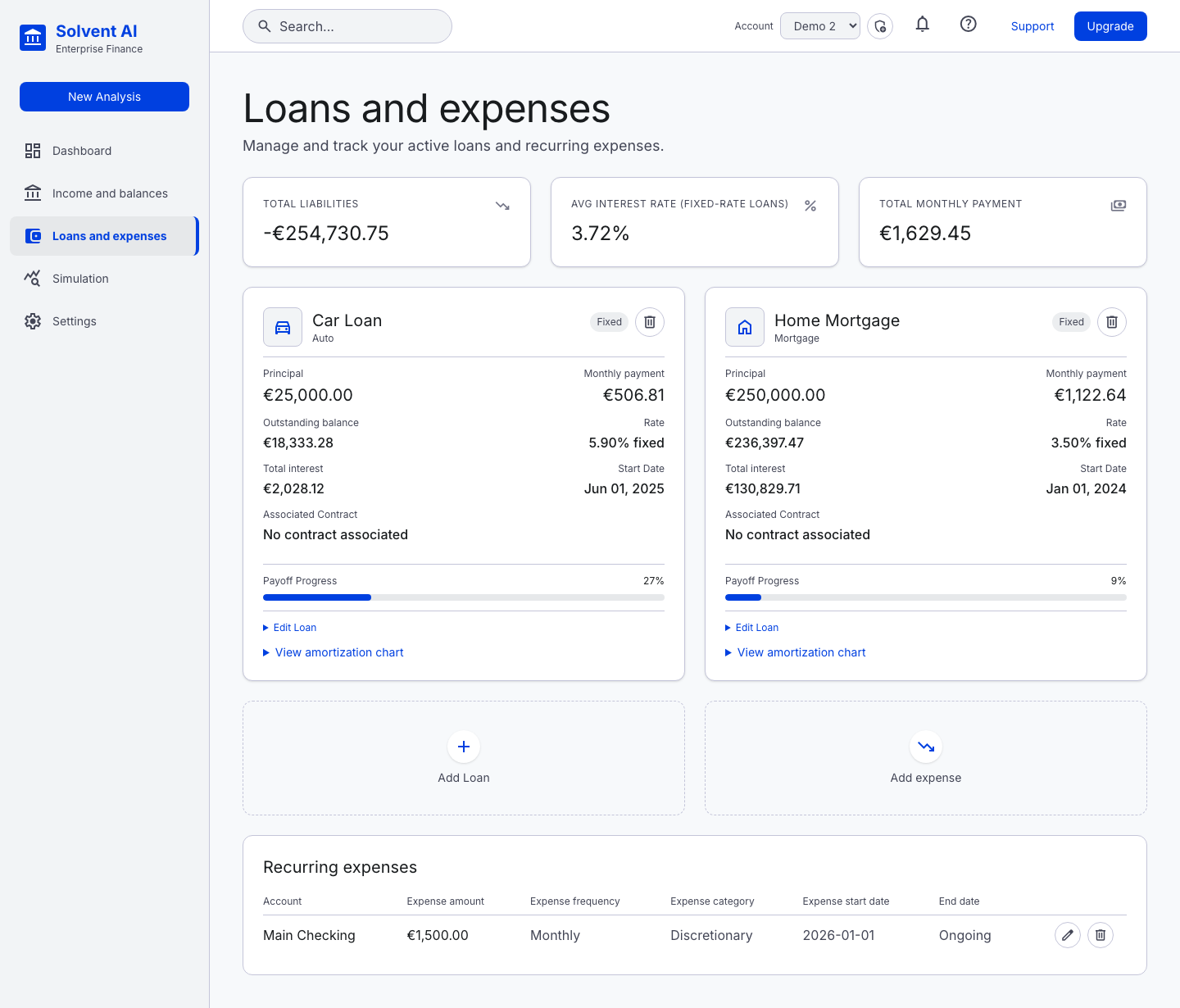
Portfolio summary
- Total liabilities: outstanding principal across all loans
- Average interest rate: across fixed-rate loans
- Total monthly payment: the sum of today's payments
Loan cards
Each loan shows its principal, today's monthly payment, outstanding balance, rate, total interest over its life, start date, associated contract and payoff progress.
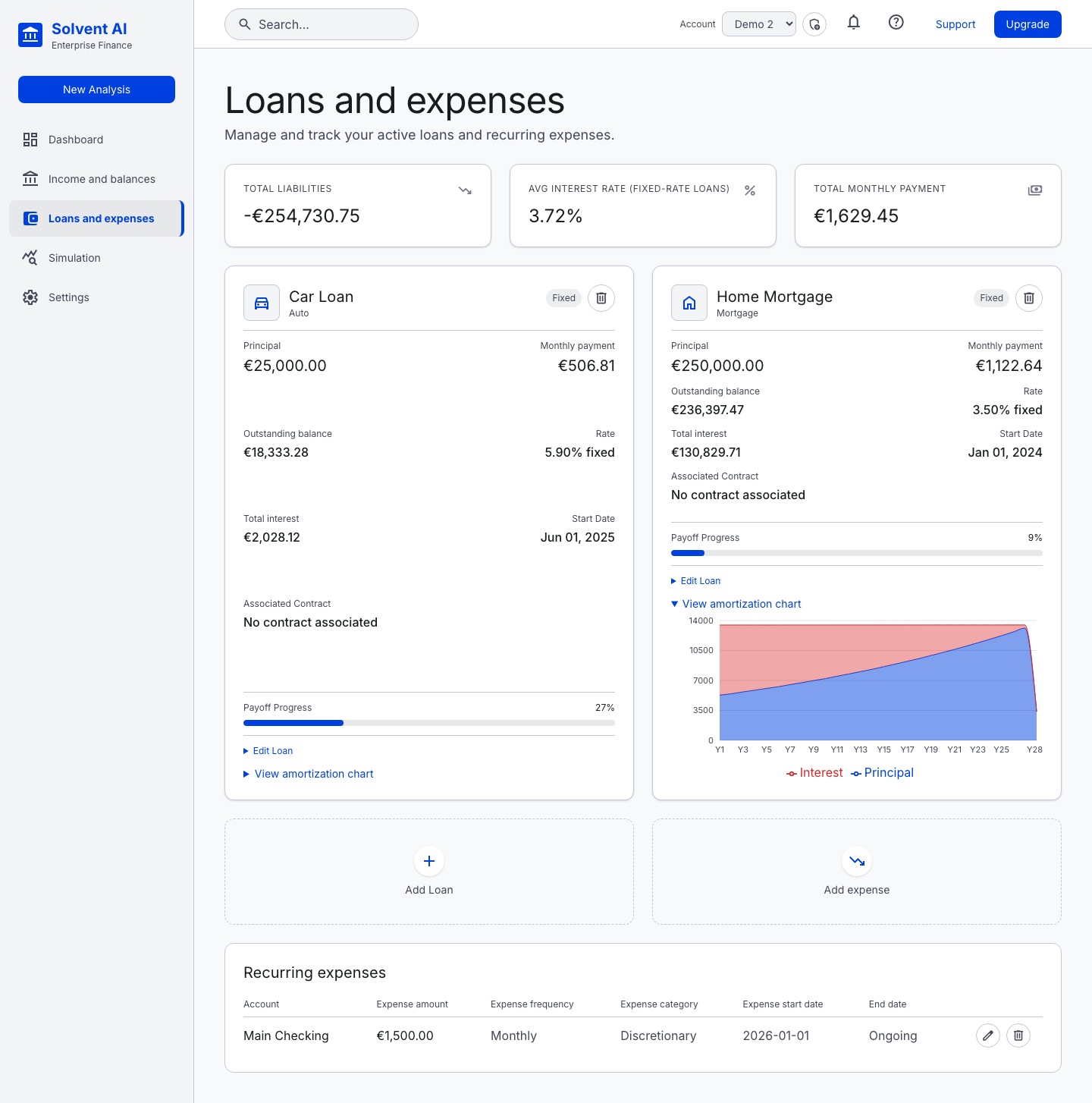
Expand View amortization chart to see the yearly split between interest and principal:
Expand Edit Loan to change a loan in place:
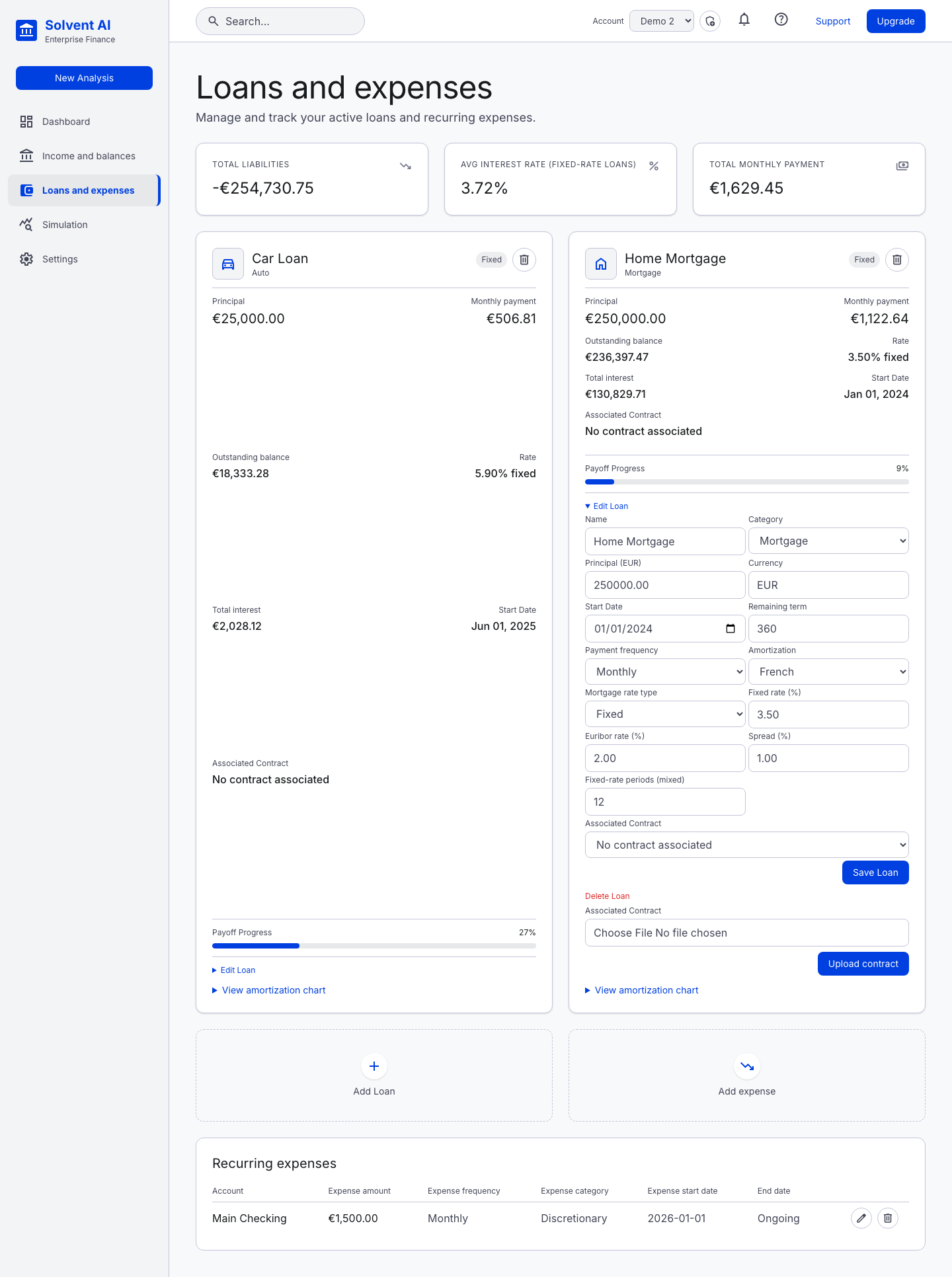
Supported loan features
| Feature | Options |
|---|---|
| Categories | Mortgage, Auto, Personal, Consumer, Student, Other, plus custom loan types |
| Amortization | French (constant payment), constant amortization (constant principal), interest-only |
| Rate type | Fixed, Variable (index such as Euribor 6M plus spread), Mixed (fixed for N periods, then variable) |
| Payment frequency | Monthly, quarterly, semiannual, annual, biweekly, weekly, daily |
| Day-count | Uses the default convention from Settings (for example Actual/365) |
| Payment source | The bank account the instalments are debited from. The wizard warns when its currency differs from the loan's |
| Contract | Optionally linked to an uploaded contract PDF |
For variable and mixed loans, the payment is recalculated when the fixed period ends and whenever the index changes. The Simulation page can apply hypothetical index changes.
Adding a loan
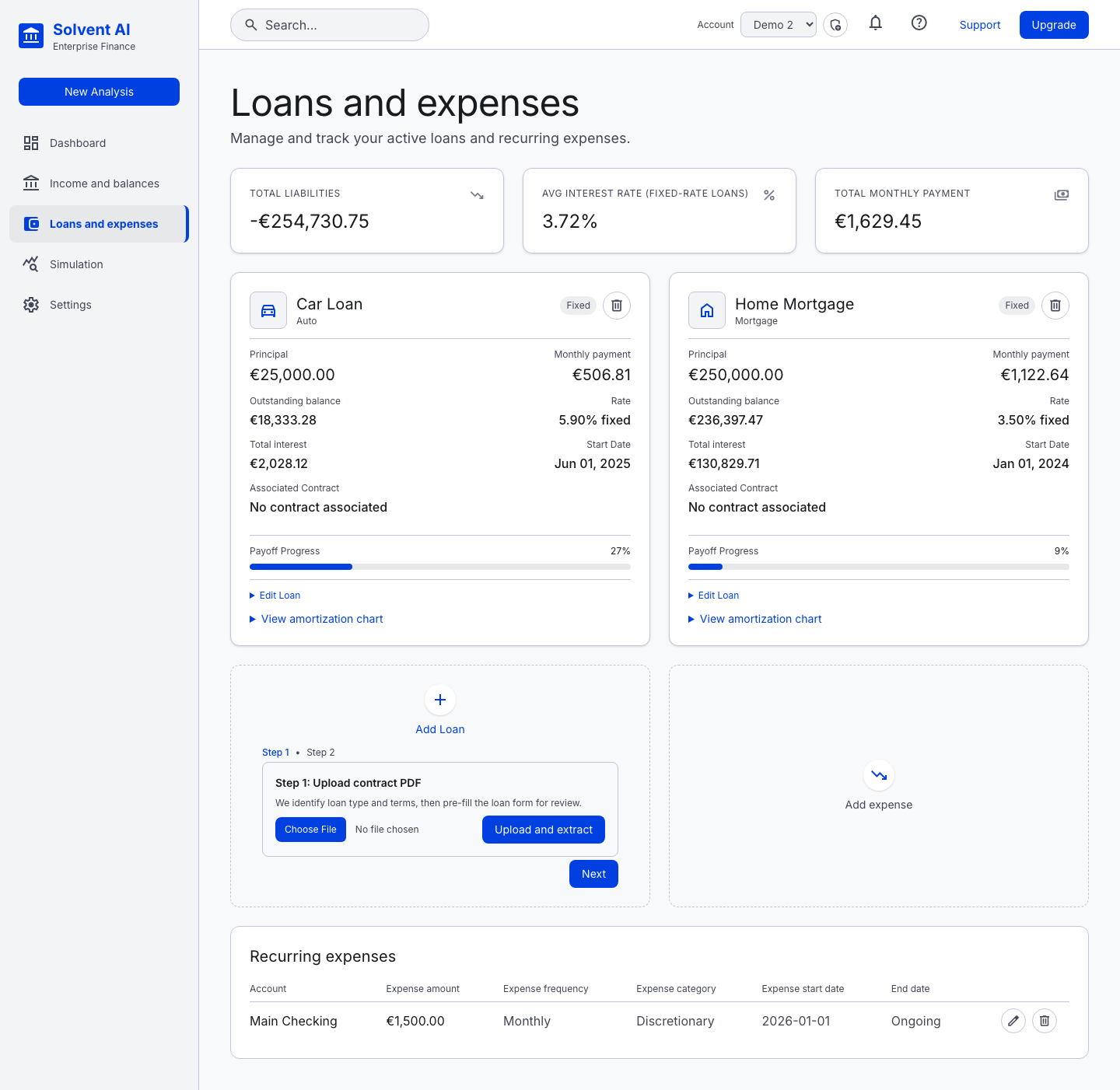
Add Loan opens the loan wizard. You can fill it in manually, or choose Start from contract to upload a PDF and pre-fill the fields (see Contract upload).
Expenses
Add expense works like income: recurring (amount, frequency, category, start and optional end date, paying account) or one-off. The Recurring expenses table supports inline edit and delete.